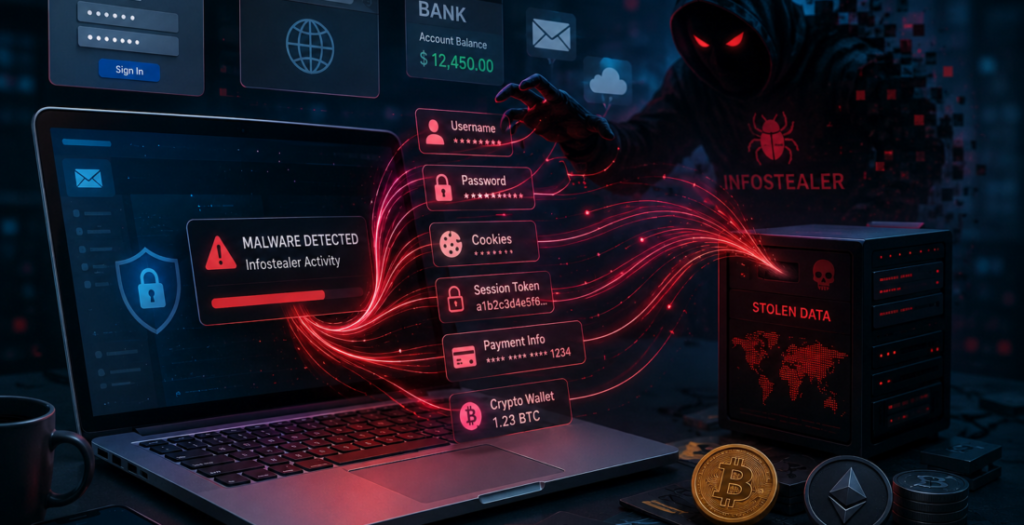

Infostealer malware is becoming a serious threat in modern cybersecurity. Unlike ransomware, it does not announce itself by locking files or flashing a demand on the screen. It tries to stay invisible.
Its job is simple: steal useful information from a device and leave.
That information can include passwords, browser cookies, session tokens, saved payment details, cryptocurrency wallets and other data stored inside applications. Once stolen, those details can be sold or used to take over business accounts.
The danger is that the victim may not realize anything happened until someone else is already using their identity.
Why Infostealer Malware Is So Effective
Infostealers often reach devices through routes: phishing emails, fake software updates, malicious advertisements, cracked applications or convincing download pages.
Microsoft reported that infostealer campaigns were targeting macOS users through social engineering and malicious installers, showing the problem extends beyond Windows.
Once installed, the malware searches for valuable information. It may collect saved credentials, browser history, cookies and tokens before sending them to an attacker.
The computer may appear to work normally.
Attackers Want More Than Passwords
Session cookies and authentication tokens are less familiar than passwords, but they can be even more useful to an attacker.
When you sign in to an online service, the browser often receives a token that proves you have already completed authentication. That is why you do not need to enter your password on every page.
If an infostealer captures that active session, an attacker may be able to reuse it and enter the account without going through the normal login process again.
SpyCloud reported recapturing billions of stolen cookies and session artifacts in 2026, showing how valuable these tokens have become.
MFA Still Matters, but It Cannot Work Alone
Multi-factor authentication remains one of the best defenses against stolen passwords. Companies should absolutely continue using it.
The problem is that MFA protects the login process. A stolen session may represent an account that has already passed that process.
This does not make MFA useless. It means identity security needs another layer.
Businesses should be able to revoke active sessions when a device is compromised, monitor unusual account behavior and use authentication methods that make stolen sessions harder to reuse.
The goal is to protect the identity before, during and after login.
Personal Devices Can Create Business Risk
Infostealers blur the line between personal and company security.
An employee may use the same laptop for work and personal browsing. They might download a free utility at home, install a browser extension or use software from an untrusted source. If that device also contains active business sessions, a personal mistake can expose company access.
This is especially important for remote and hybrid work.
Companies need clear rules around which devices can reach sensitive systems and what security protections those devices must have. Employees also need practical guidance about risky downloads without being overwhelmed by technical warnings.
Cleaning the Device Is Only the Beginning
Finding and removing the malware is important, but it may not finish the incident.
If an infostealer has already taken passwords, cookies or tokens, those stolen details may still work after the infected device is cleaned.
Security teams should assume exposed credentials may have been copied. Passwords may need to be changed, sessions revoked and important accounts reviewed for unusual activity.
It is also worth checking what information was stored in the browser or applications on the affected device.
Removing the malware closes one door. The organization still needs to check which keys may have been stolen before that door closed.
Browsers Are Becoming Security-Critical
Browsers hold a remarkable amount of valuable information because so much work now happens online.
Email, cloud storage, finance platforms, customer systems and collaboration tools can all be open in separate tabs at the same time. A browser session can therefore become a shortcut into several parts of a business.
Companies should treat browser security as part of identity security, not just web browsing.
That includes keeping browsers updated, limiting unnecessary extensions, protecting endpoints and reducing how long sensitive sessions remain valid.
The Quiet Threat Deserves More Attention
Infostealer malware succeeds because it often stays out of sight while collecting exactly what attackers need.
The infection itself may last minutes. The stolen access can create problems much later.
Businesses should not focus only on stopping malware at the device. They also need to think about what happens if credentials and sessions escape.
Good cybersecurity means detecting infections, protecting identities and being ready to invalidate stolen access quickly.
The question is not simply, “Did malware get onto this computer?”
It is, “What could it have taken while it was there?”
That question leads to a much stronger response.
Contributed by GuestPosts.biz
Further Reading: Cyber Gear Thought Leadership Series